AI store assistant · by Trillion Business Community
Just ask ALADINO.
The AI assistant that welcomes your customers, finds any product, explains every offer and checks them out. Behind the scenes, it shows your business what people really want.
ALADINO welcomes every customer. If they already have a profile, the welcome is personal and in their language.
Find productsCheck availabilityShow locationExplain offersRecommend productsRemember the customerConnect to the teamSupport languagesSelf checkoutFind productsCheck availabilityShow locationExplain offersRecommend productsRemember the customerConnect to the teamSupport languagesSelf checkout
The simple idea
A customer asks. ALADINO understands, checks your store and gives the right answer. Then it records the interaction, so your business learns from it.
CustomerAsks naturally, by speaking or typing.
ALADINOUnderstands what the customer is trying to do.
Store & CRMChecks products, stock, prices, offers and location.
Business insightsEvery interaction becomes something the business can learn from.
ALADINO should feel simple for the customer, while creating useful information for the business in the background.
What ALADINO does
Nine things your customers can simply ask for.
ALADINO is an intelligent customer assistant. It helps people find products, understand their options, discover offers and get help inside your store. Each of the nine abilities below works on its own, and each one also tells your business something useful.
ALADINO
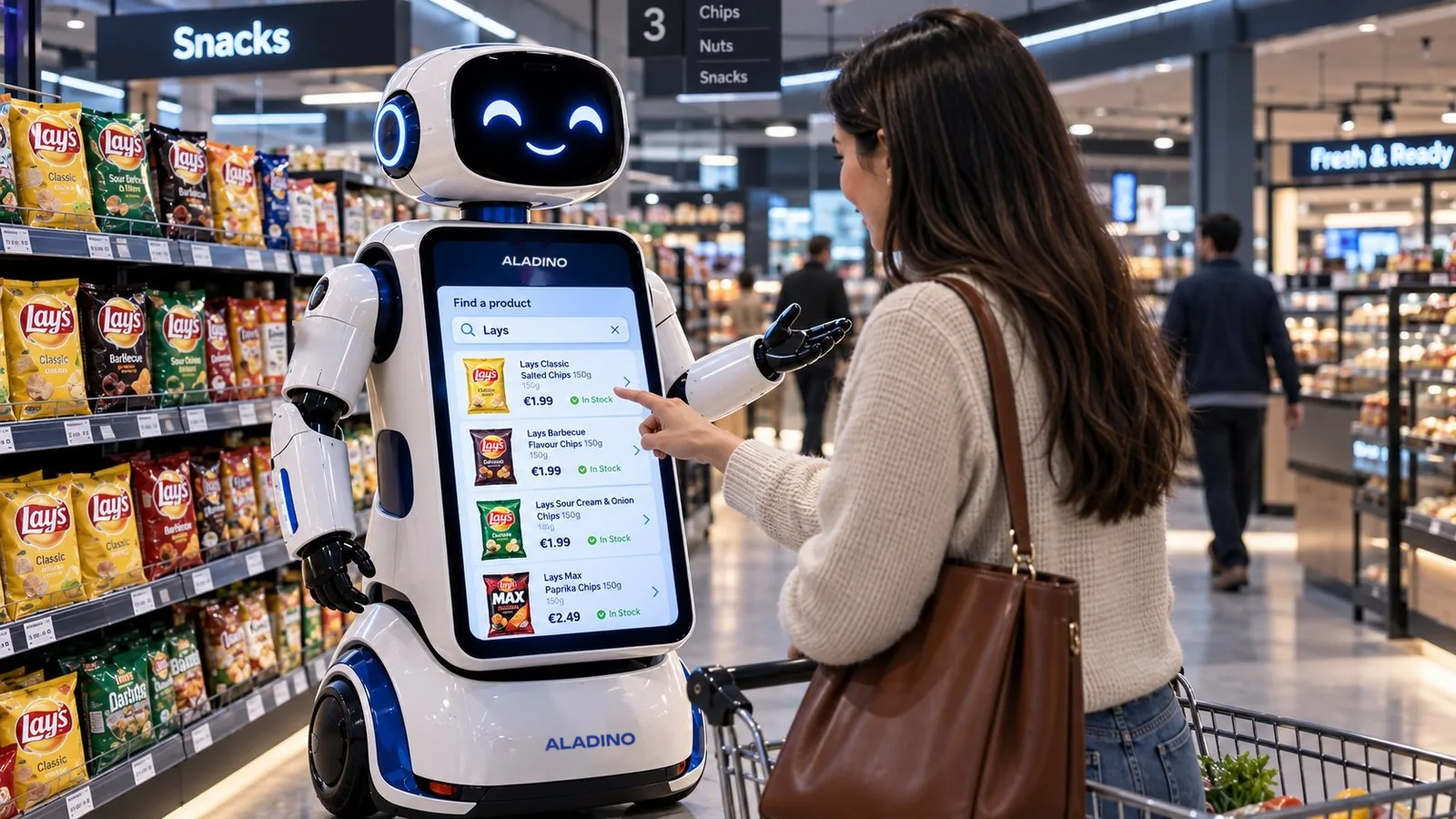
Where can I find chips?
Here are the chips we have.
Classic salted chips150 g
AED 7.50
Sour cream & onion150 g
AED 7.50
Paprika chips135 g
AED 8.25
Chips
Classic saltedIn stock
24
BarbecueOut of stock
0
Sour cream & onionIn stock
18
PaprikaLow stock
3
Show alternatives
Classic salted chips is available
Section 5Aisle 2Shelf 3
Show on map
Your basket value
AED 85
Add AED 15 more to unlock
A free cold drinkwhen your basket reaches AED 100
Products that help you reach the offer
ColaAED 6.00
ChipsAED 7.50
WaterAED 2.50
Recommended for you
ColaAED 6.00
SpreadAED 16.50
CookiesAED 7.50
Why you are seeing these
Related to your search
Goes well with your basket
In an active promotion
Customer recognised
Good morning, Salvo.
Welcome back to the store.
Preferred categories
SnacksBeveragesDairy
Purchase history
Classic salted chipsLast visit
× 2
Cola 500 mlLast visit
× 1
Can I speak with someone about a bulk order?
Of course. I am passing your request to the store team.
Sent to the team
Bulk order enquiry
Asked about: still water, 6 × 1.5 L
ALADINO showed: 2 products, 1 offer
A team member is on the way
Choose your language
Select your preferred language to start chatting.
English
Français
Italiano
Benvenuto! Come posso aiutarti oggi?
Self checkout
Classic salted chipsQty 1
AED 7.50
Cola 500 mlQty 1
AED 6.00
Chocolate spreadQty 1
AED 16.50
Sandwich cookiesQty 1
AED 7.50
Discount− AED 5.00
TotalAED 32.50
Proceed to payment
HomeSearchOffersBasketMap
Find products
Ask for it. Find it.
Customers ask for a product the way they would ask a person in the store, by speaking or by typing. They do not need the exact product name. ALADINO understands what they are trying to find and matches it to your catalogue.
The results appear on screen with a picture, the size and the price, so the customer can choose in seconds.
Works with everyday words, not only product codes
Shows matching products with pictures and prices
Every search is recorded, including what people did not find
Check availability
In stock, or what else?
Before sending anyone down an aisle, ALADINO checks whether the product is available right now. It shows each variant with its status: in stock, low stock or out of stock.
When something has run out, the conversation does not end there. ALADINO suggests the closest alternative, so the customer still leaves with what they need.
Current stock for every size and flavour
A clear status for each variant
Alternatives offered when a product is unavailable
Show location
Section 5. Aisle 2. Shelf 3.
“Where is it?” is the most common question in any store. ALADINO answers with the section, the aisle and the shelf, and shows the spot on a store map.
Customers walk straight to the product, and your team spends less time giving directions. A later release can extend this into step-by-step indoor navigation.
Exact section, aisle and shelf
The position shown on a store map
Fewer interruptions for staff on the shop floor
Explain offers
The right deal at the right moment.
ALADINO understands your active promotions and presents them when they are relevant, instead of showing every offer to every customer.
It can tell a customer how close they are to a reward, for example “you are AED 15 away from a free cold drink”, and show the products that would get them there. Each offer shown and each offer accepted is recorded, so you can see which promotions really work.
Offers matched to the basket and the search
Clear steps to qualify for a reward
Shown and accepted offers recorded for the business
Recommend products
Suggestions with a reason.
ALADINO recommends products that fit what the customer is doing: items related to their search, products that go well together, popular choices, and products in a current promotion.
Each suggestion comes with a reason the customer can see, which makes it feel like help and not like advertising. For returning customers, recommendations can also draw on what they bought before.
Related, complementary and popular products
The reason shown next to each suggestion
Personalised for returning customers
Remember the customer
A profile that builds itself.
When a customer registers, buys or simply talks to ALADINO, their profile is created or updated. It holds their name, preferred language, purchase history and the categories they look for most.
On the next visit ALADINO greets them by name, in their language, and picks up where the last visit ended. Your team sees the same profile in the CRM.
Name, language and preferences saved
Purchases and searches added after every visit
One profile shared by ALADINO and your team
Connect to the team
People, when people are needed.
ALADINO handles the routine questions. When a customer asks to speak with someone, raises a complaint, or brings a complex or high-value request, ALADINO passes it to your advisors or relationship managers.
The handoff arrives with context: who the customer is, what they asked, what ALADINO already showed them and what needs to happen next. Nobody has to start the conversation again.
Customer advisors and relationship managers notified
The full conversation passed on with the request
Follow-ups tracked in the CRM
Support languages
Every customer, their language.
Customers speak or type in the language they prefer, and ALADINO answers in the same language. The screen, the product information and the offers switch with them.
The chosen language can be saved in the customer’s profile, so the next visit starts in the right language without anyone asking.
Conversation and screen change together
Product details and offers in supported languages
Language preference remembered for next time
Self checkout
Scan. Pay. Go.
Customers scan their own products at ALADINO and watch the bill build on screen: product name, quantity, price, discounts and the running total. Eligible offers are applied automatically.
They review the bill, pay with a QR code or a supported digital wallet, and receive a digital receipt. No cashier is needed, and the sale is recorded for the business and added to the customer’s purchase history.
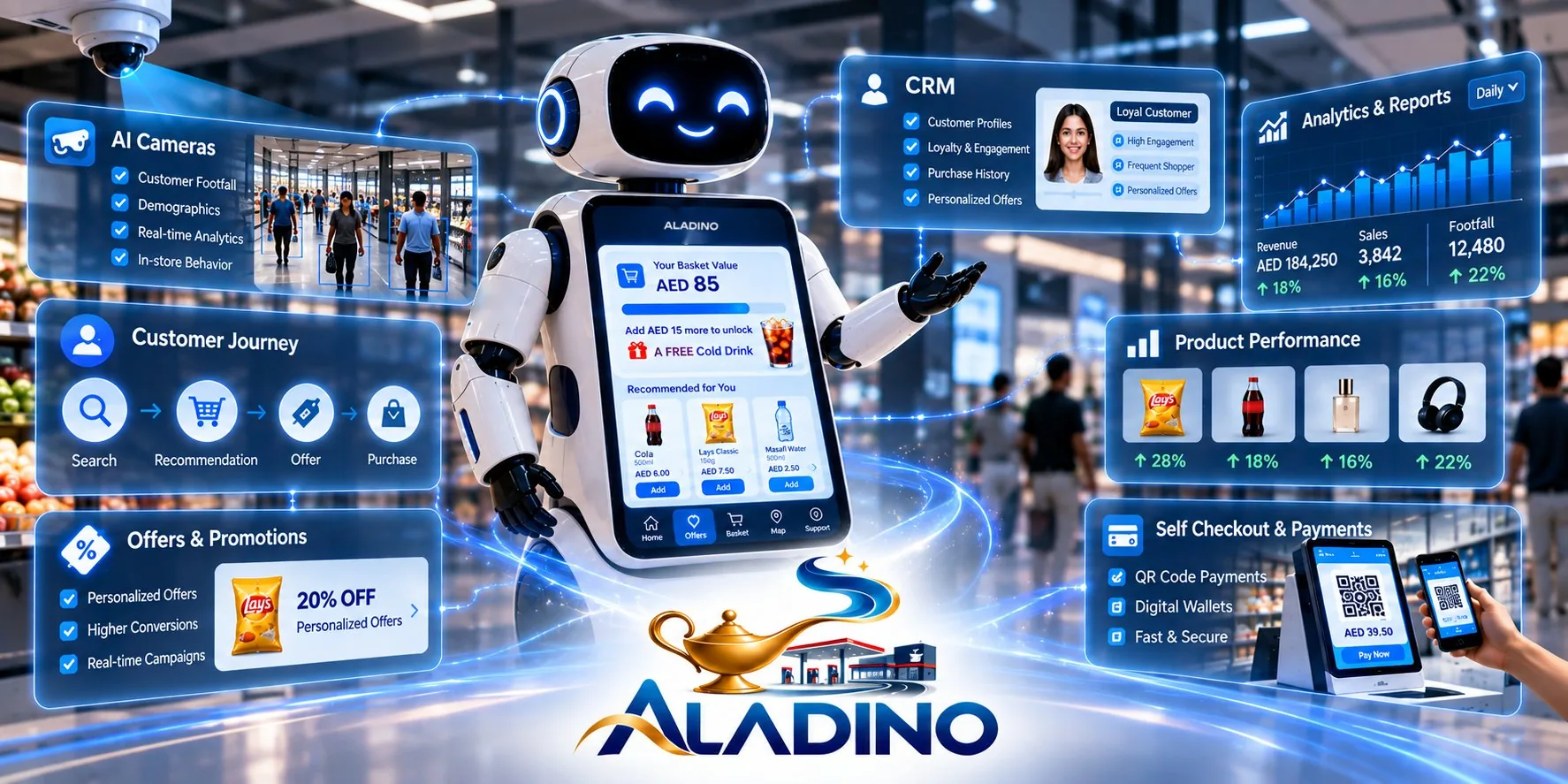
Three parts, one flow. The AI cameras notice what happens on site, the robot helps the customer in person, and everything both of them learn lands in the CRM. Follow one visit below.
Live illustrationExample data
1
AI camerasSee what happens on site
RECCAM 01 · ENTRANCE
In today118
Inside now21
Pump 238.5 °C
Footfall
Customer analysis
Fuel loss & thermal
2
ALADINO robotHelps the customer in person
ALADINO
Hello. How can I help?
Welcome
Product search
Offers
Self checkout
3
ALADINO CRMKeeps one record of everything
Visitors today118
Questions answered42
Sales today (AED)1,260
4
The business actsWhat the CRM gives back
DashboardsManagement sees what people want and what sells.
AlertsThe team on site is told at once.
The next visitALADINO greets by name and shows the right offer.
01
A customer walks in
The entrance camera counts the visit. No names, just one more person inside. The total goes straight to the CRM.
One ecosystem
Robot, cameras, CRM and checkout. One system.
Each part works alone. Together they connect what happens in the aisle to what you see on the dashboard.
Concept visual
AI cameras
Customer footfall, demographics, real-time analytics and in-store behaviour.
Customer journey
Follow each visit from the first question to the purchase.
SearchRecommendOfferPurchase
Offers & promotions
Personalised offers
Shown when they are relevant
Real-time campaigns
CRM
Customer profiles
Loyalty and engagement
Purchase history
Self checkout & payments
QR code payments
Digital wallets
Digital receipt
Analytics & reports
Revenue, sales and footfall in daily, weekly and monthly views.
Product performance
See which products are searched, viewed and bought, and which are searched but rarely purchased.
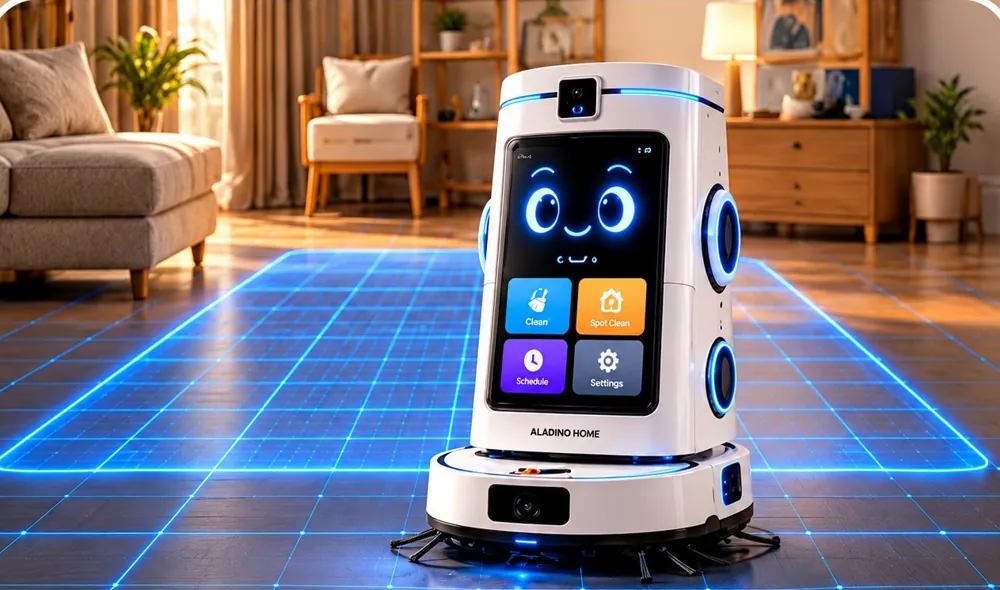
One robot that cleans, guards and looks after the family.
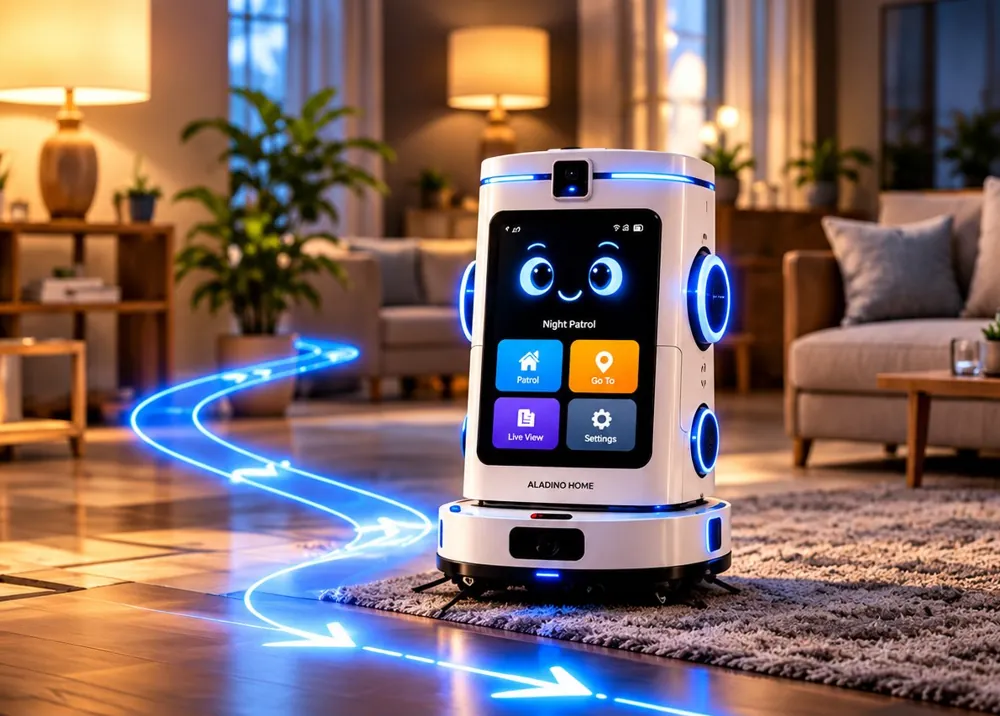
ALADINO HOME cleans the floors, watches over the house, teaches and entertains the children, and keeps the family connected from anywhere. Six modes, controlled on its touch screen or in the companion app.
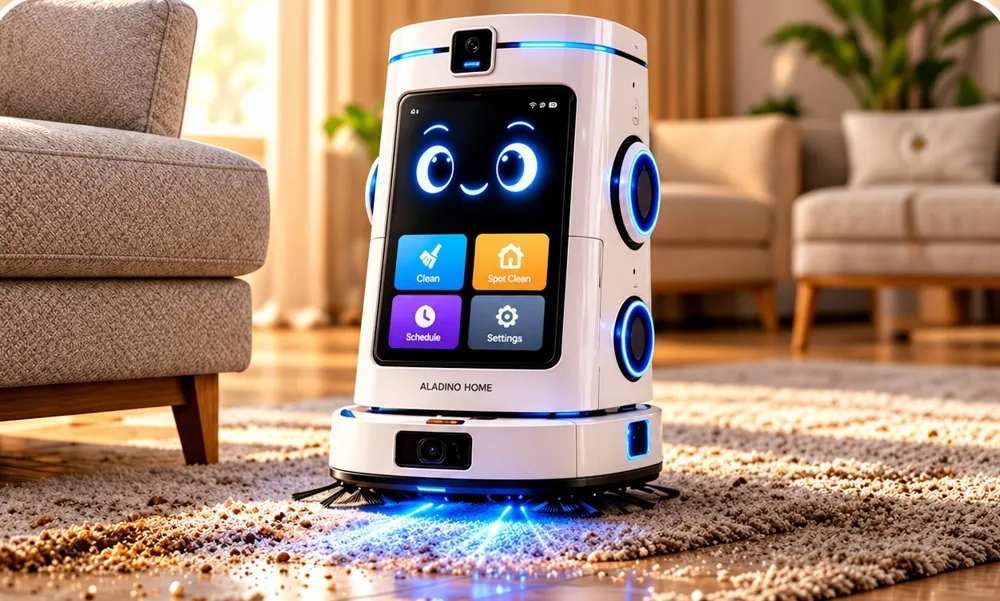
A spotless home, on your terms.
ALADINO HOME learns the layout of the home, plans neat lanes and vacuums, mops or does both. When it has finished, it goes back to its dock to recharge.
How it works
1Choose Vacuum, Mop or Both, and the rooms.
2The robot cleans edge to edge on a planned route.
3It returns to the dock and confirms in the app.
Cleans every corner
Dry and wet cleaning
Smart navigation
Set your schedule
Notices the unusual, and tells you at once.
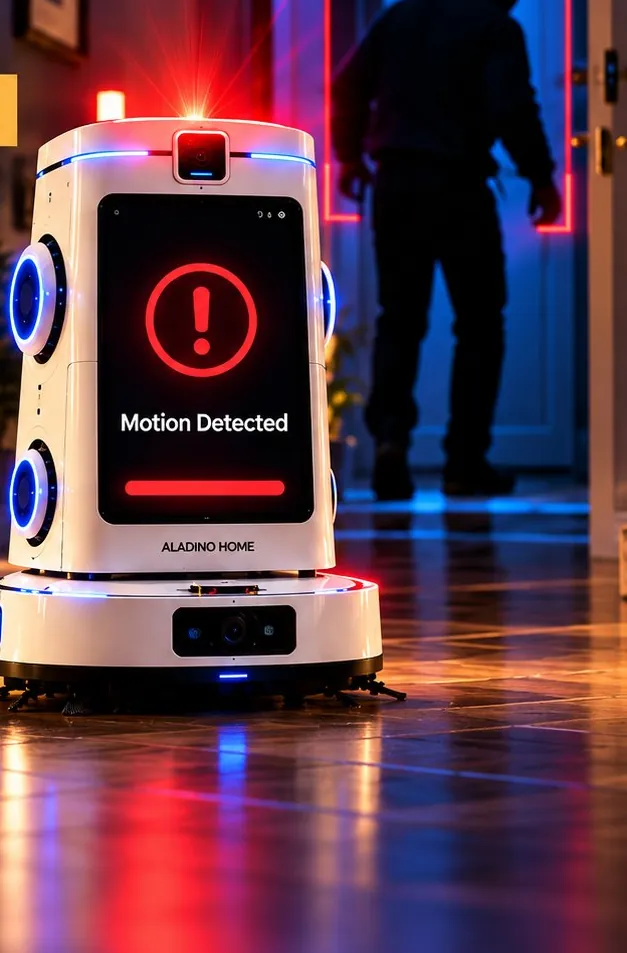
Mark the areas that should stay empty, such as the entrance at night. If ALADINO HOME detects movement there, it can sound a siren, record video and alert your phone.
How it works
1Movement is detected in a restricted area.
2A siren can sound and an instant alert is sent.
3Video recording starts automatically.
Detects intrusion
Record and save
A friendly companion for little ones.
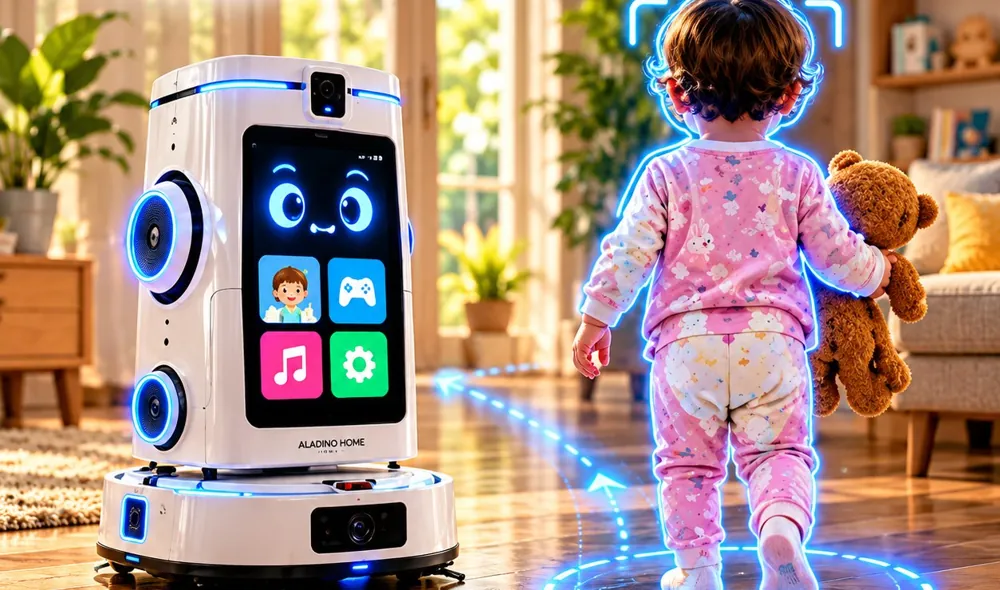
ALADINO HOME teaches, sings, tells stories and can follow a child around the home while keeping parents informed. It supports parents; it does not replace an adult’s care.
How it works
1Switch on Follow Kid from the app or the screen.
2The robot follows calmly and keeps the child in view.
3If the child falls or cries, a calming song plays and parents are alerted.
Follow Kid Mode
Teaches and learns
Rhymes and songs
Detects falls and cries
Instant alerts to parents
Your home, checked automatically.
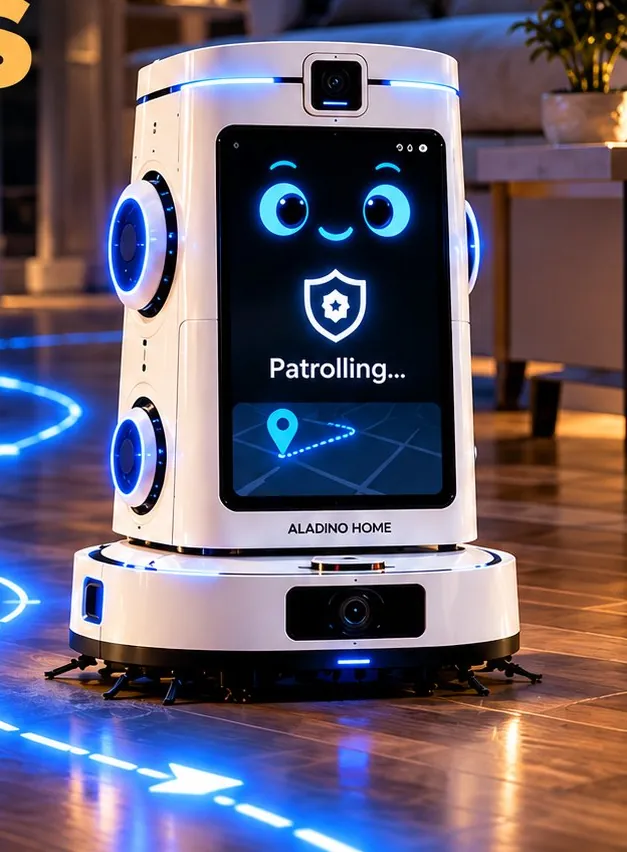
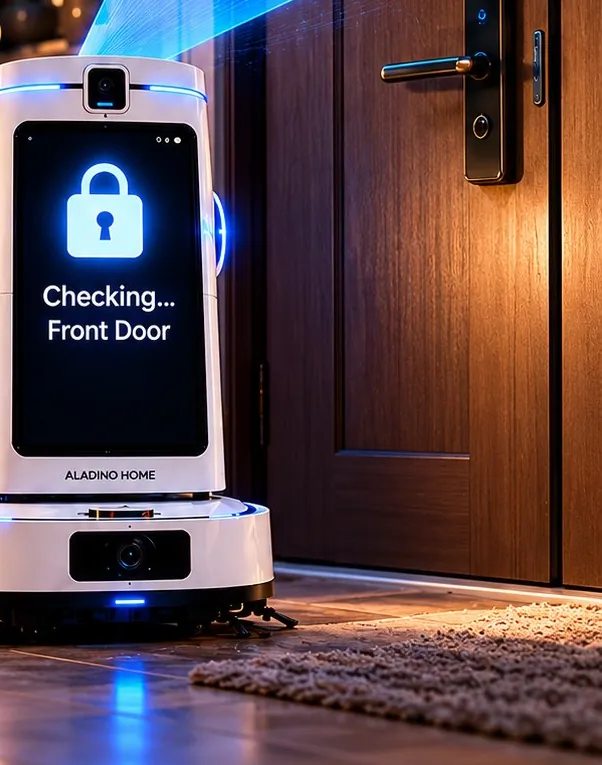
At the times you set, ALADINO HOME leaves its dock, follows its route and checks each door and window with its camera and connected smart sensors. A summary arrives when it is back.
How it works
1Set the patrol times and the rooms in the app.
2At each door or window it checks: open, closed or locked.
3A summary arrives on your phone after every patrol.
Scheduled patrols
Checks doors and windows
Be at home, from anywhere.
Open the app to watch live video, talk and listen through the robot, and drive it to any room for a closer look. One camera that moves can cover the whole home.
How it works
1Tap Live View in the app.
2Steer with the arrows, or choose a room with Go To.
3Speak through the robot and hear the reply.
Live video
Two-way voice
Remote navigation
Protection when nobody is home.
When the home is empty and the sensors suggest a possible forced entry, ALADINO HOME alerts you and your family, opens live video, records and can sound its siren.
How it works
1An alert arrives on your phone and your family’s.
2Open Live View to see the scene immediately.
3Use Speaker, Siren or Record as needed.
Live view anytime
Live illustrationCleaning Mode
ALADINO HOMEnow
Concept illustration · example data
Cleaning finished · Living room · Back on the dock.
Motion detected · Entrance · Recording started.Watch live
Your child has fallen down. I am playing a calming song.Live View
Patrol completed · 5 rooms checked · Back door open.
Live View · Kids room · Two-way voice on.SpeakHi, I’m in the kids room. Everything looks fine.
Possible forced entry · Bedroom window · You and 2 family members alerted.Live View
1robot: cleaning base and smart body in one unit
6modes, each built around an everyday need of the family
1app for schedules, alerts, live video and recordings
For warehouses, sorting hubs, e-commerce fulfilment and service facilities: detect an event, assign a task, carry it out and record the result, all on one record.
Evidence first, then controlled handling.
A parcel arrives with visible damage. The camera flags it, the CRM opens a ticket with the photos, the team confirms, and a robot takes the load to inspection.
From detection to resolution
CameraFlags possible damage at receiving.
CRMOpens a ticket with the photos.
TeamVerifies the damage.
RobotTakes the load to inspection.
Fewer handoffs, better traceability.
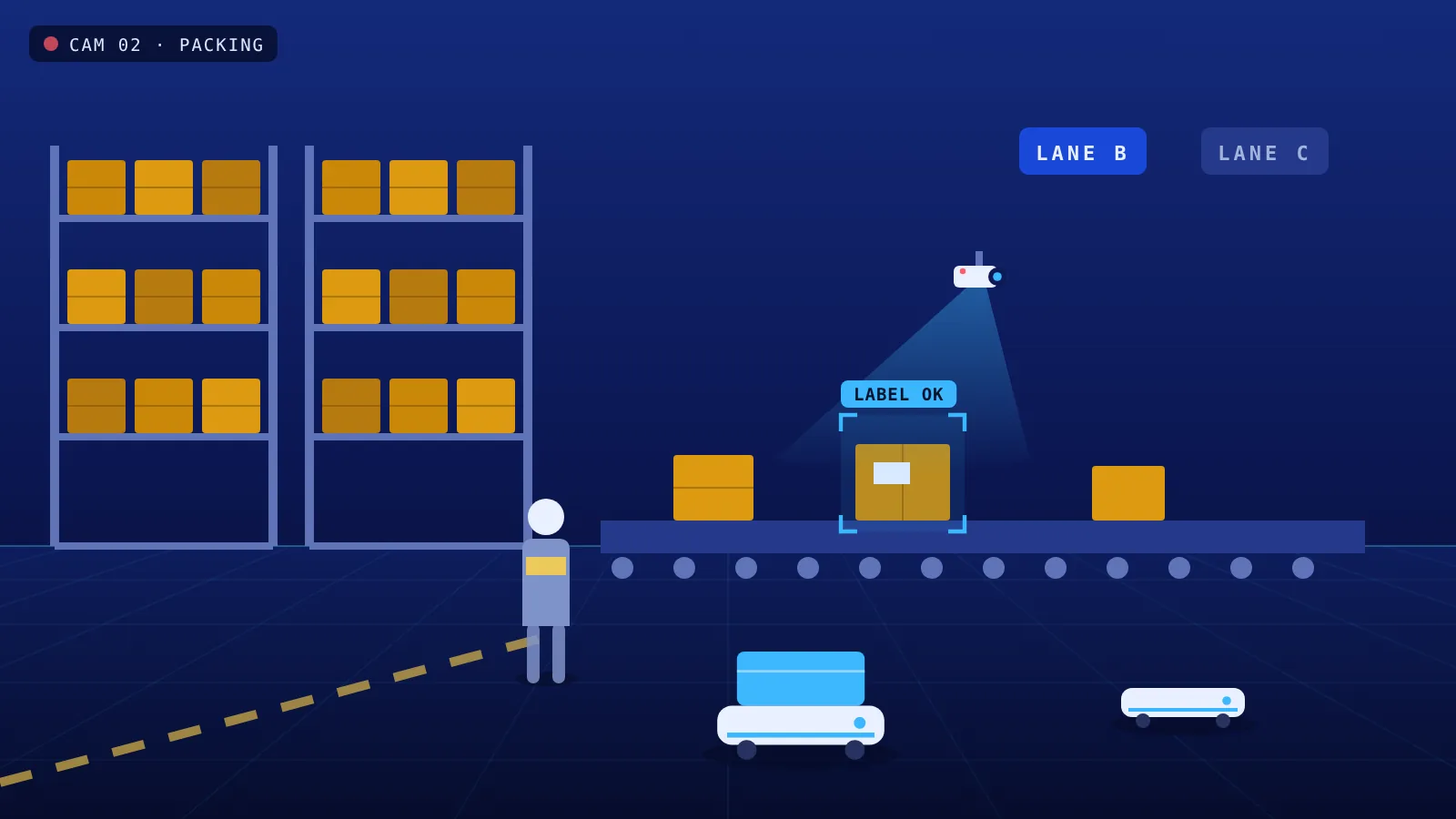
The warehouse system releases an order. A robot brings the tote to packing, the scanner and camera check the label and the packaging, and the tote goes to its lane.
From detection to resolution
WMSReleases the order.
RobotBrings the tote to packing.
Scanner and cameraCheck the label and the packaging.
CRMRecords the shipment status.
Act before the truck leaves.
The AI compares the backlog with the carrier’s collection time. The CRM sets priorities and the robot system updates the approved tasks, so late orders move first.
From detection to resolution
AICompares the backlog with the collection cutoff.
CRMGives priority to the orders at risk.
RobotsUpdate their approved tasks.
TeamSees the risk early and in one place.
Organised returns, documented decisions.
A return arrives. The CRM finds the authorisation, the camera records the condition, the team decides where it goes, and a robot completes the transfer.
From detection to resolution
CRMRetrieves the return authorisation.
CameraRecords the condition.
TeamDecides where it goes.
RobotCompletes the transfer.
Live illustrationDamaged parcel
ALADINO CRMnow
Concept illustration · example data
Ticket #2381 · Possible damage · 3 photos attached.
Order 4471 · Label and packaging checked · Lane B.
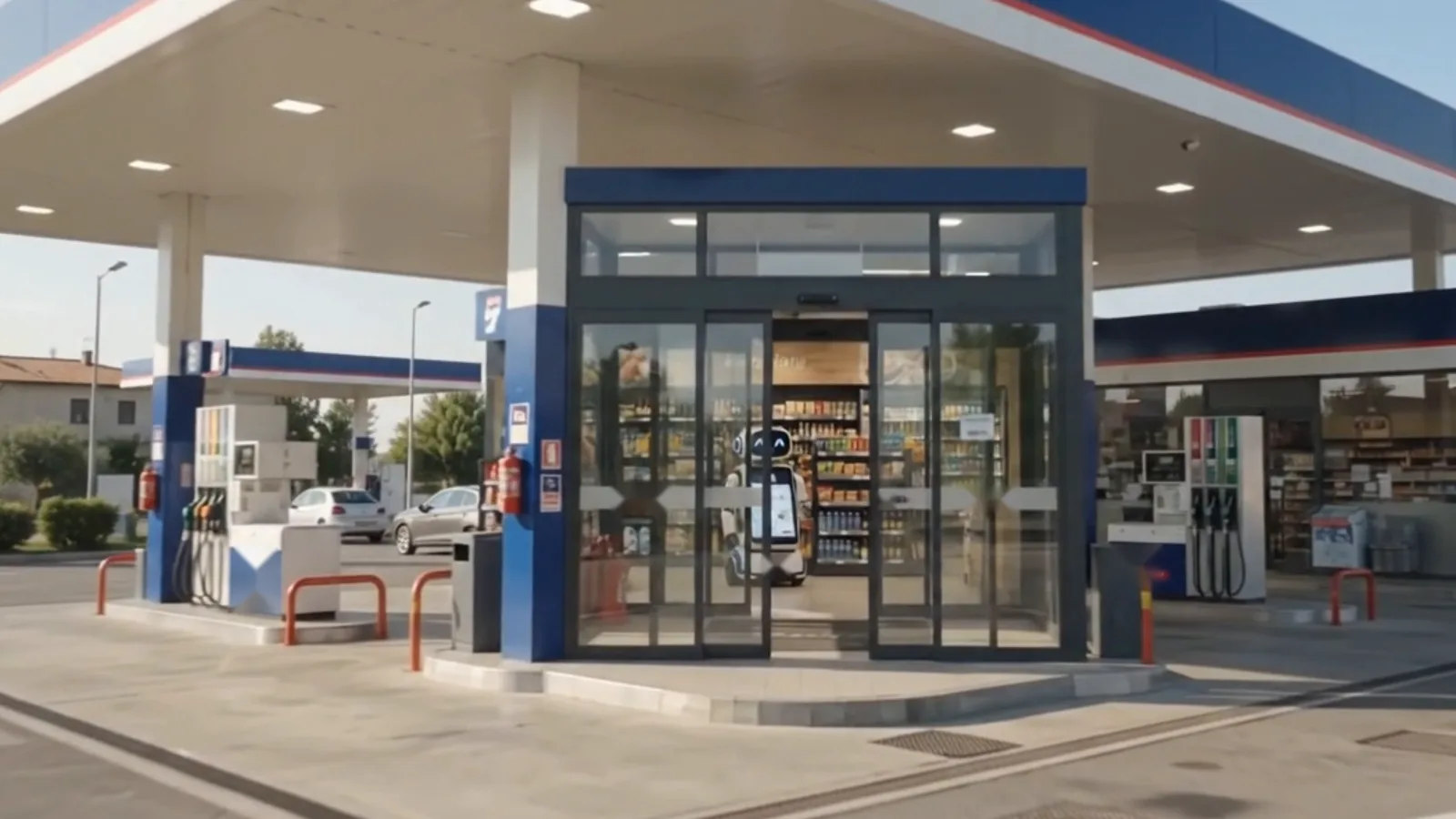
The same system that answers customers also sees the site. Cameras count footfall, follow how customers move, and watch the forecourt with thermal imaging. Everything they find is reported to the CRM.
Knight, entrepreneur, and Founder & President of JO Corporate Holding, the Dubai group behind Trillion Business Community and ALADINO.
His work draws on more than two decades of international experience and one principle the group calls entrepreneurial synergy: different skills, brought together, grow further than any one alone. ALADINO applies the same idea to a store, with cameras, robot and CRM working as one system.