Industries ALADINO Home

The intelligent home companion.

One robot that cleans the floors, watches over the house, entertains and teaches the children, and keeps the family connected wherever they are.

  • Family homes
  • Apartments
  • Villas
  • Busy parents
CHILD · IN VIEWALADINO HOMECLEANING FINISHEDLIVE VIEW ALADINO HOME ROBOT CAM · LIVING ROOM
Concept illustration · example data
Cleaning ModeLiving room finished
Back on the dock
Kids ModeCalming song playing
Parents alerted · 18:42
Night PatrolFront door locked
Back door open

One system, three parts

Cameras see. ALADINO HOME acts. The app keeps you informed.

Cameras, sensors, a smart body and a cleaning base in one robot, with the companion app for schedules, alerts, live video and recordings.

Cameras and sensors

Sees the home as it moves.

  • Maps the home for efficient cleaning
  • Notices movement in restricted areas
  • Recognises falls and the sound of crying

ALADINO HOME robot

Helps around the house.

  • Vacuums, mops or both, room by room
  • Teaches, sings and tells stories
  • Patrols at night and checks doors and windows

Companion app

Your home in your pocket.

  • Cleaning and patrol schedules
  • Instant alerts with a short clip
  • Live view, two-way voice and recordings

Six modes, one robot

Every mode, played out on the floor plan.

Choose a mode to see what ALADINO HOME does, step by step, and what arrives on your phone.

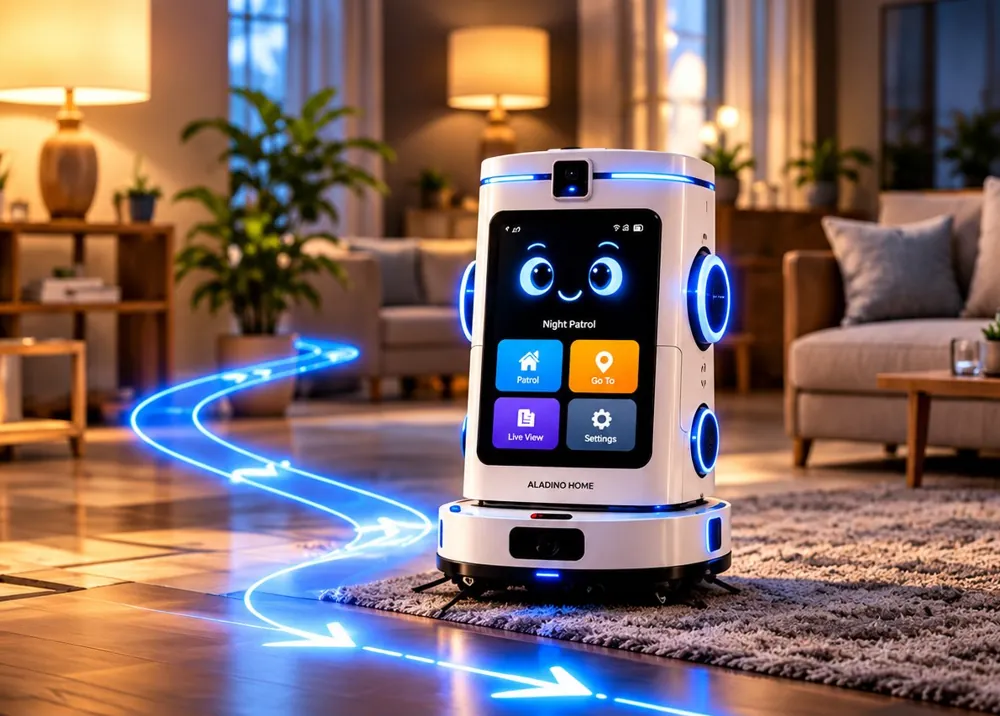
A spotless home, on your terms.

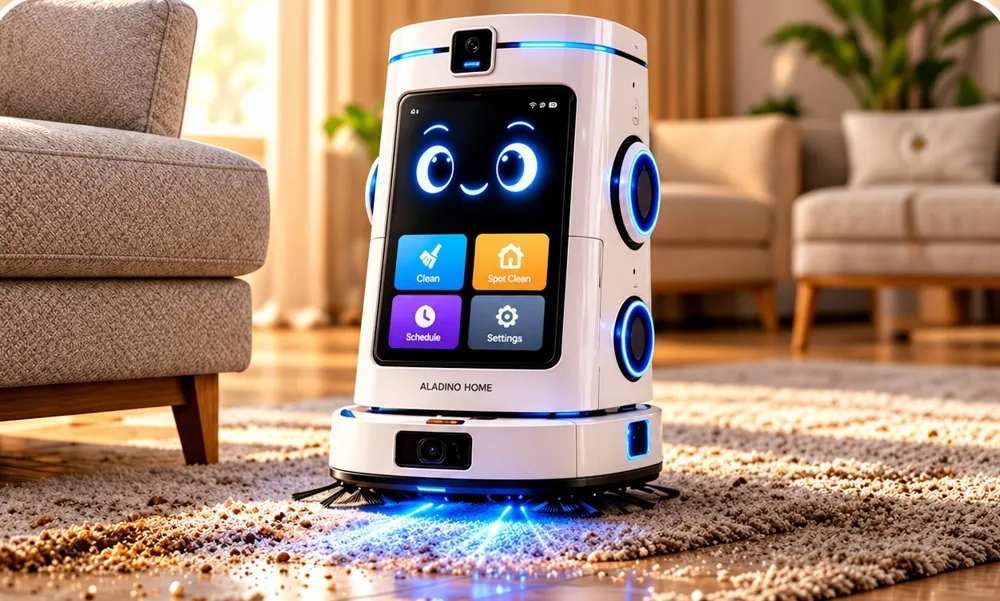
ALADINO HOME learns the layout of the home, plans neat lanes and vacuums, mops or does both. When it has finished, it goes back to its dock to recharge.

How it works

  1. 1Choose Vacuum, Mop or Both, and the rooms.
  2. 2The robot cleans edge to edge on a planned route.
  3. 3It returns to the dock and confirms in the app.

In this mode

  • Cleans every cornerSide brushes sweep corners and skirting boards; it adapts from tiles and wood to rugs and carpet.
  • Dry and wet cleaningVacuum, mop, or both in a single run.
  • Smart navigationIts cameras and sensors map the home, so it cleans in neat lanes and steers around obstacles.
  • Set your scheduleFor example, the living room at 09:00, the kitchen after lunch and the whole home every evening.
ALADINO HOME cleaning a rug in a living room

Notices the unusual, and tells you at once.

Mark the areas that should stay empty, such as the entrance at night. If ALADINO HOME detects movement there, it can sound a siren, record video and alert your phone.

How it works

  1. 1Movement is detected in a restricted area.
  2. 2A siren can sound and an instant alert is sent.
  3. 3Video recording starts automatically.

In this mode

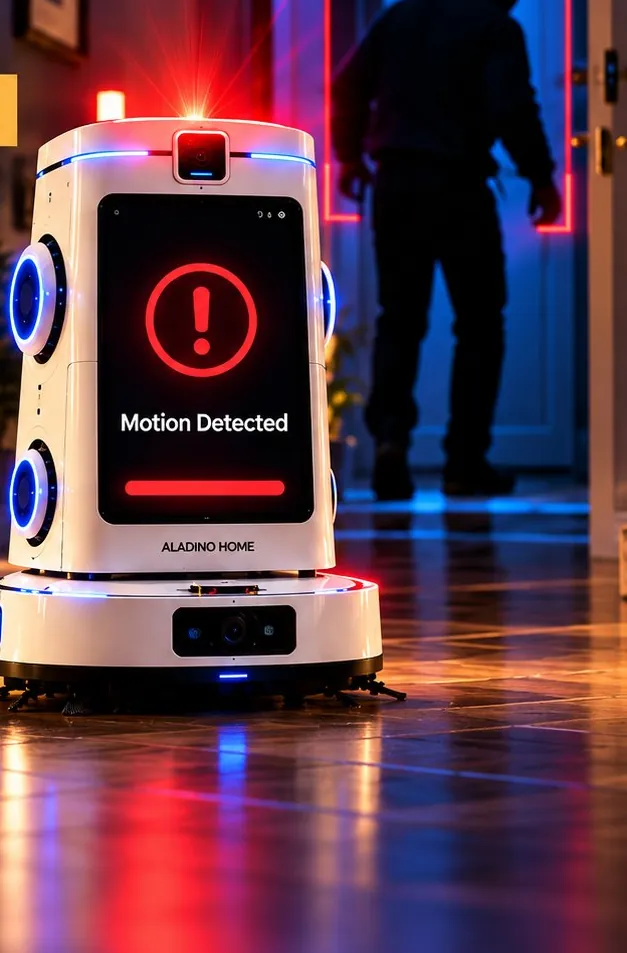
  • Detects intrusionMovement in a restricted area shows Motion Detected on the screen and starts the response you have set.
  • Record and saveEvery event, or a tap on Record, saves a clip with the date and time in the app.
ALADINO HOME showing Motion Detected while a person enters at night

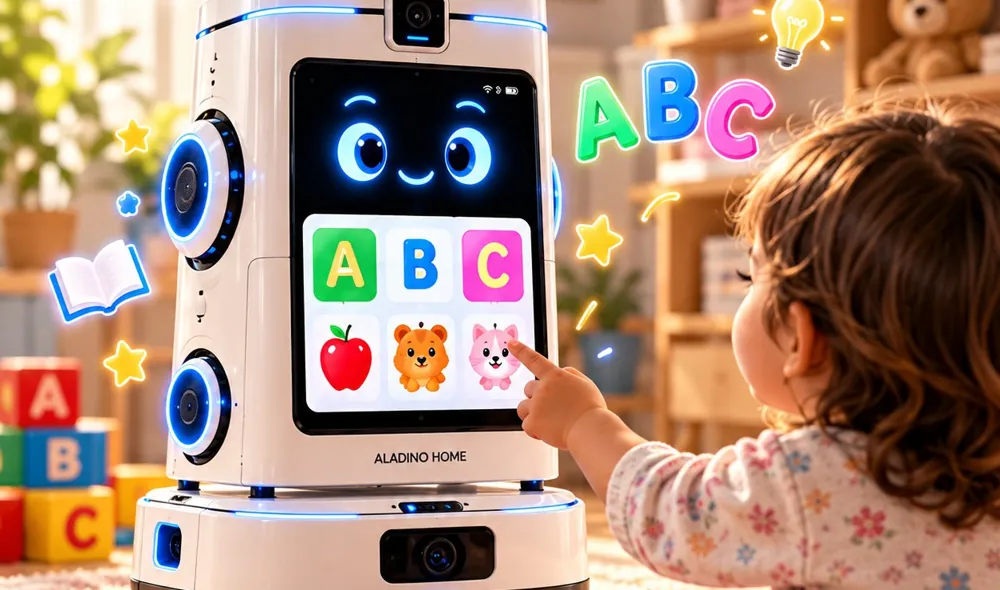
A friendly companion for little ones.

ALADINO HOME teaches, sings, tells stories and can follow a child around the home while keeping parents informed. It supports parents; it does not replace an adult’s care.

How it works

  1. 1Switch on Follow Kid from the app or the screen.
  2. 2The robot follows calmly and keeps the child in view.
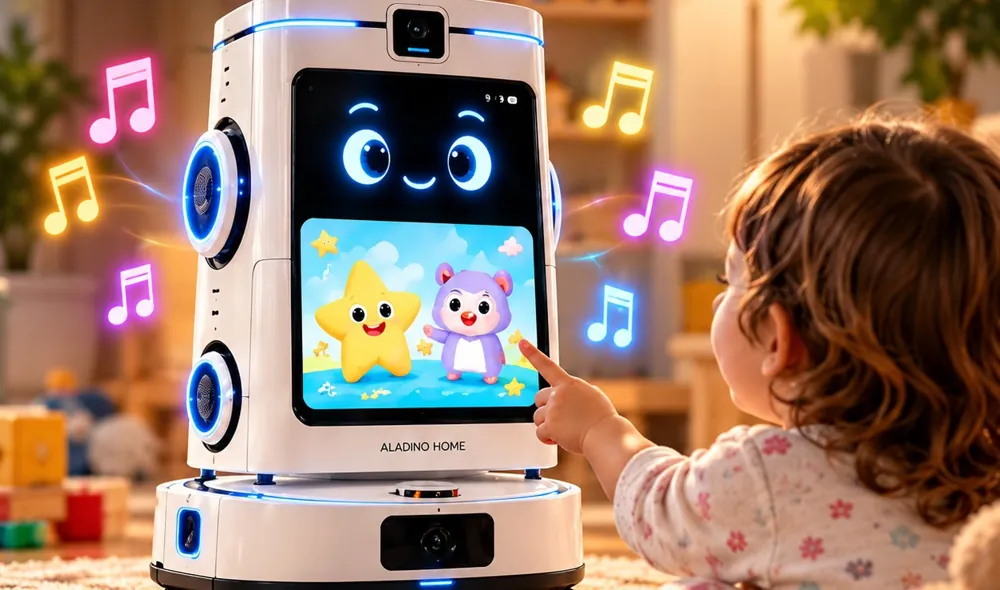
  3. 3If the child falls or cries, a calming song plays and parents are alerted.

In this mode

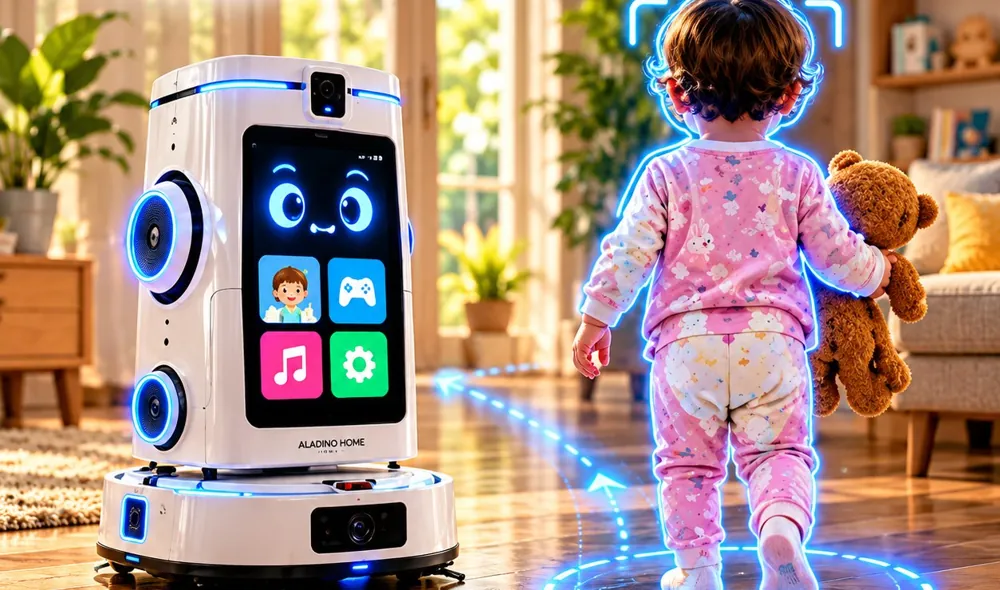
  • Follow Kid ModeKeeps a gentle, safe distance and follows the child from room to room.
  • Teaches and learnsLetters, numbers, animals and shapes on the touch screen, with spoken lessons.
  • Rhymes and songsNursery rhymes, songs and short stories, with play time set by parents.
  • Detects falls and criesPlays a comforting song and alerts the parents.
  • Instant alerts to parentsA clear message, a short clip and a Live View button.
ALADINO HOME following a small child across a living room

Your home, checked automatically.

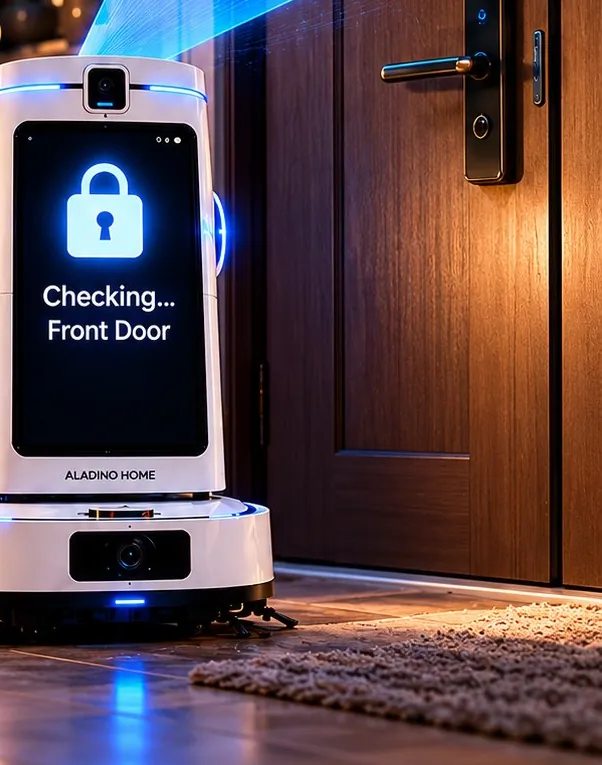
At the times you set, ALADINO HOME leaves its dock, follows its route and checks each door and window with its camera and connected smart sensors. A summary arrives when it is back.

How it works

  1. 1Set the patrol times and the rooms in the app.
  2. 2At each door or window it checks: open, closed or locked.
  3. 3A summary arrives on your phone after every patrol.

In this mode

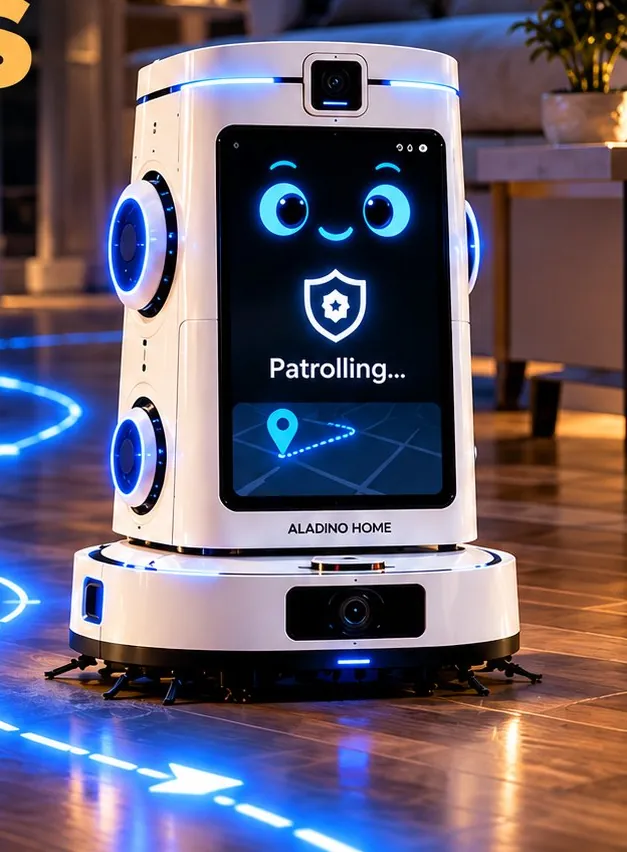
  • Scheduled patrolsLeaves the dock at the set time, follows the route and returns to recharge.
  • Checks doors and windowsShows open, closed or locked at each entry point and adds it to the summary.
ALADINO HOME patrolling a dark hallway at night

Be at home, from anywhere.

Open the app to watch live video, talk and listen through the robot, and drive it to any room for a closer look. One camera that moves can cover the whole home.

How it works

  1. 1Tap Live View in the app.
  2. 2Steer with the arrows, or choose a room with Go To.
  3. 3Speak through the robot and hear the reply.

In this mode

  • Live videoA live stream from the robot’s camera, with snapshots and recording.
  • Two-way voiceYour voice plays through the robot, and you hear the reply in real time.
  • Remote navigationSteer with the arrows, or send the robot to a named room.
ALADINO HOME driving across a living room on a remote route

Protection when nobody is home.

When the home is empty and the sensors suggest a possible forced entry, ALADINO HOME alerts you and your family, opens live video, records and can sound its siren.

How it works

  1. 1An alert arrives on your phone and your family’s.
  2. 2Open Live View to see the scene immediately.
  3. 3Use Speaker, Siren or Record as needed.

In this mode

  • Live view anytimeFrom the alert, open Live View, speak through the robot, sound the siren and record, all on one screen.
ALADINO HOME checking the front door
Live illustrationCleaning Mode
LIVING ROOMKITCHENKIDS ROOMENTRANCEBEDROOMRESTRICTED AREAFORCED ENTRY?WINDOW · CLOSEDFRONT DOOR · LOCKEDWINDOW · CLOSEDBACK DOOR · OPENWINDOW · CLOSEDMOTION DETECTEDFALL DETECTEDLIVE VIEWREC ♪♫♪
ALADINO HOMEnow

Concept illustration · example data

How it works, step by step

Follow one day with ALADINO HOME.

Morning cleaning, playtime, a small fall, a call from work and a night patrol. See how each one is noticed, handled and sent to your phone.

Live illustration Example data
1
Cameras and sensorsOn the robot, room to room
Rooms mapped6
Events seen0
Doors open0
  • Follow
  • Motion
  • Falls & cries
2
ALADINO HOME robotCleans, guards and plays
  • Cleaning
  • Kids
  • Patrol
  • Voice
3
Companion appSchedules, alerts and live video
Alerts today0
Clips saved0
Patrols done0
4
ActionWhat the CRM gives back
Daily summaryCleaning, patrols and events at a glance.
AlertsThe right family member is told at once.
RoutineSchedules run by themselves, even when you are out.
01

Morning clean

At 09:00 ALADINO HOME vacuums and mops the living room on its planned route, then goes back to its dock. The app confirms it is done.

Use cases

What ALADINO Home does for a family.

Floors

Dry and wet cleaning on a schedule, room by room, then back to the dock.

Security

Restricted areas, a siren, recording and instant alerts.

Children

Follows, teaches, sings and notices falls and crying.

Night checks

Scheduled patrols of doors and windows, with a summary.

From anywhere

Live video, two-way voice and remote navigation.

Empty home

A possible forced entry alerts you and your family at once.

Meet the robot

Screen, cameras and a cleaning base, in one friendly machine.

An expressive screen, cameras, speakers and microphones sit on a mobile cleaning base, so the robot that mops the kitchen in the morning can patrol the hallway at night.
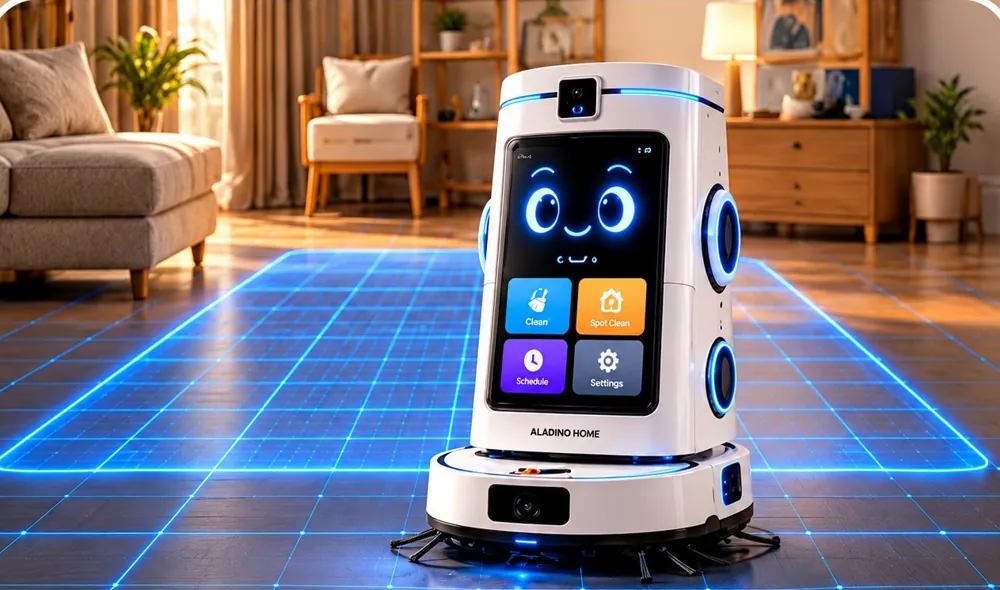
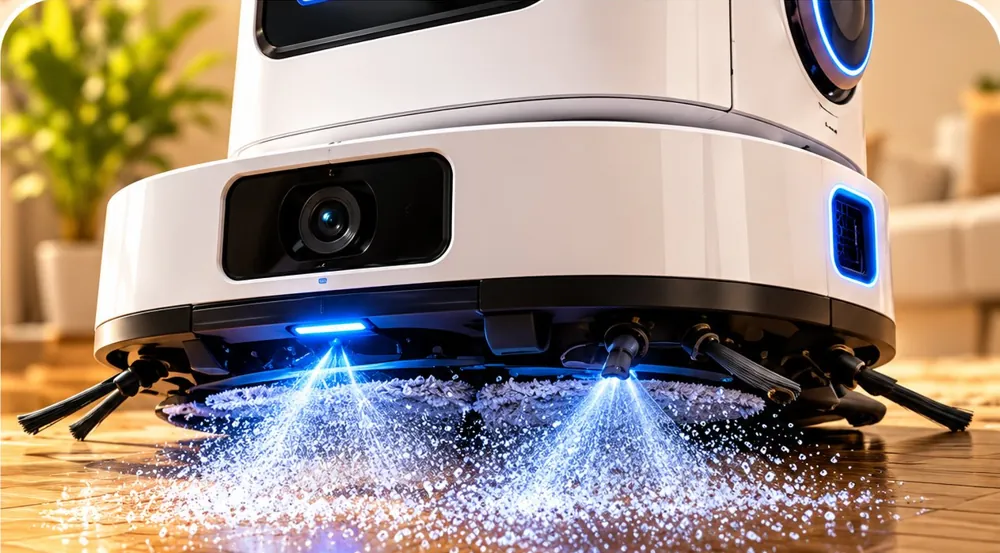
Product renders from the ALADINO HOME product guide.

Events and responses

How ALADINO HOME reacts.

Every mode is built around clear events. When something happens, the robot responds in a predictable way and keeps you informed.

  • Alerts, siren and recording work while the robot is online and charged.
  • Door and window status comes from the camera and connected smart sensors.
  • Fall and cry detection and any emergency escalation are confirmed against the final hardware and local rules before launch.
When this happensModeALADINO HOME will
Motion in a restricted areaSecurity · Night PatrolSiren if enabled, video recording, instant alert to the owner
Possible forced entryHome Alone AlertAlert to the owner and family, live view opens, recording and siren
Door or window left openNight PatrolStatus on the screen and in the patrol summary
Child falls or criesKids ModeA comforting song plays; parents are alerted with a short clip
Patrol completedNight PatrolSummary of the rooms visited and every entry point
Cleaning finishedCleaning ModeBack to the dock, confirmed in the app
Battery lowAll modesBack to the dock to recharge, then it carries on

Dashboards

What the family sees in the app.

  • Cleaning schedules and results
  • Alerts with a clip, the date and the time
  • Patrol summaries for every door and window
  • Live view, recordings and event history

Connects with

  • Smart door and window sensors
  • Smart locks
  • Family phones
  • Companion app
  • Home Wi-Fi
  • Charging dock

Safety and privacy

  • Live video, audio and recordings only for authorised family accounts.
  • Alerts, siren and recording follow the settings you choose.
  • Kids Mode supports parents; it is not a substitute for adult supervision.

Questions

Asked before the first demo.

Ask something else
Does ALADINO HOME replace a robot vacuum and fixed cameras?

It brings cleaning, home awareness and family support into one robot that moves from room to room, so one mobile camera can check any room instead of many fixed ones.

Who can watch the live video?

Only the family accounts you authorise. You decide what is stored and when it is deleted.

How does it know whether a door is locked?

It uses its camera together with connected smart door and window sensors and shows open, closed or locked for each entry point. Supported devices and any emergency escalation are confirmed against the final hardware and local rules before launch.

ALADINO

Bring ALADINO HOME into your home.

Tell us about your home and your family. We will show you the six modes and how they fit your day.