The assistant
As easy as asking another person in the store.
Customers should not need to understand how the system works. They simply ask ALADINO for what they need.

At the door
A welcome that knows who is walking in.
One of ALADINO’s first interactions happens at the store entrance. It welcomes every customer. If the customer is already known in the customer profile, the welcome becomes personal.
The saved name makes the welcome personal.
- Customer enters
- Recognition
- Customer profile
- Name + language
- Personalised welcome

What ALADINO can use
- Customer name
- Preferred or previously selected language
- Previous purchases
- Previous ALADINO interactions
- Relevant customer preferences
Recognition outcome
- Recognised customer: a personalised greeting
- Saved language available: greeting and interface switch to that language
- Customer not recognised: a standard welcome
- Customer chooses another language: ALADINO switches for this visit and can update the saved preference if allowed
Ask · Understand · Check · Respond · Act
Type a question. Watch it work.
ALADINO finds the product, checks current stock, shows the variants and prices, and points to the shelf. If something is unavailable, it suggests an alternative.
- Ask
- Understand
- Check
- Respond
- Act
Example catalogue with illustrative prices and stock. Pick a result to see where it is.

Product search & inventory
- Customer request
- Product match
- Availability
- Variants
- Price / offer
Every search can be recorded for the customer profile and for business insights, so the store learns what people look for, including what they did not find.
Product location
From “where is it?” to standing in front of it.
ALADINO helps customers physically find products inside the store. It answers with the section, the aisle and the shelf, then guides the customer there.
RoadmapA future version can extend this into an interactive store map and indoor navigation.

Offers & smart recommendations
Offers when they matter. Not every offer for everyone.
ALADINO understands active promotions and presents them when they are relevant. Add something to the basket below and see what it says.
“You are AED 15 away from getting a free cold drink. Would you like to see products that can help you reach the offer?”

What ALADINO can recommend
- Products related to the customer’s search
- Products that go well together
- Products included in an active promotion
- Popular products
- Alternatives when something is unavailable
- Personalised products based on previous behaviour
Offer performance is recorded too, so the business can see which offers were shown and which ones actually worked.
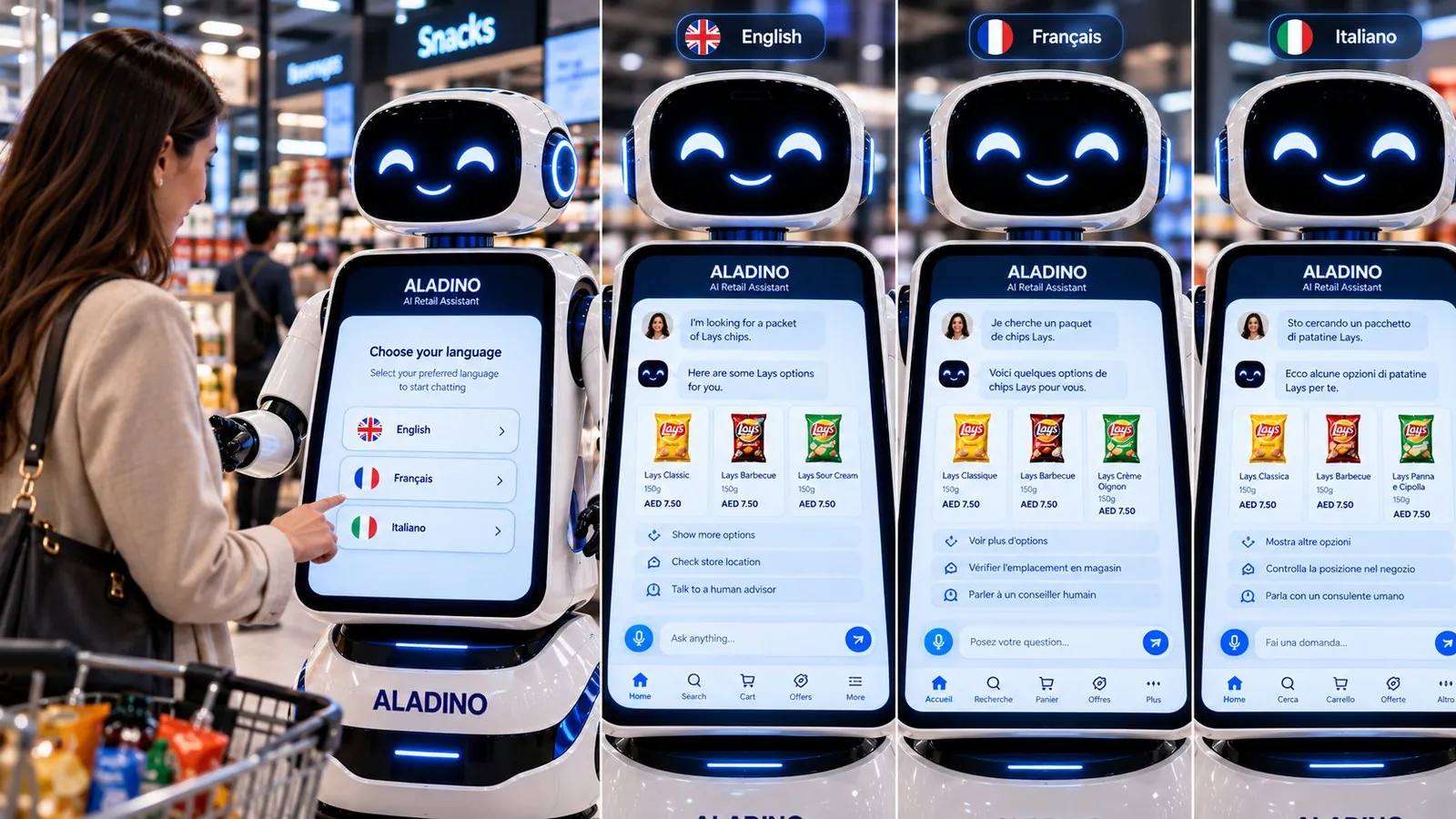
Multi-language experience
Customers speak. ALADINO answers in kind.
- Customers can speak or type in a supported language.
- ALADINO responds in that language.
- The interface changes to the selected language.
- Product information and offers are available in supported languages.
- The language preference can be stored in the customer’s profile.
- Customer speaks
- Language detected
- ALADINO responds
- UI changes
Self checkout
Scan. Review. Pay. Go.
Customers scan their own products at ALADINO, review the bill, pay digitally and complete the purchase without needing a cashier.
- Scan
- Build bill
- Review
- Pay
- Confirm
Press “Scan next item” to start.
A demonstration with example products. The payment provider and wallet options are confirmed for each deployment.
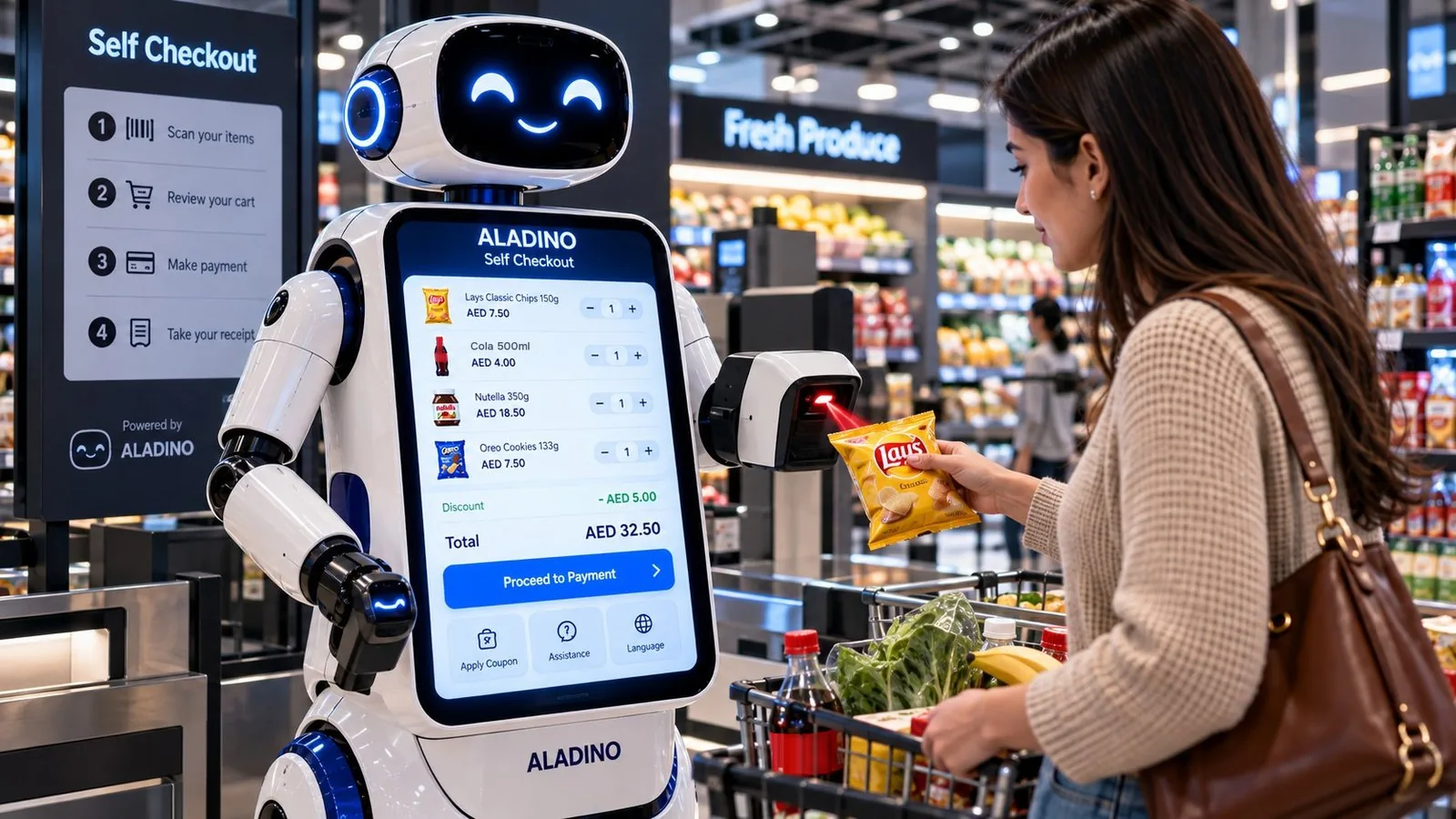
Customer sees
- Product name and price
- Quantity
- Offers and discounts
- Total amount
- Payment QR or payment option
- Payment confirmation
- Digital receipt
Business records
- Products scanned
- Quantity and transaction value
- Offers applied
- Payment status
- Transaction date and time
- Purchase history
- Self checkout usage
How it works
- The customer selects Self Checkout on ALADINO.
- They scan each product using the scan-here device.
- Each product is added to the bill automatically.
- ALADINO shows the product name, quantity, price, discounts and running total.
- The customer reviews the final bill and confirms the purchase.
- ALADINO displays a payment QR or a supported digital payment option.
- The customer completes the payment.
- ALADINO confirms the payment and provides a digital receipt.
- The transaction is recorded for the business and added to the customer’s purchase history.
When a person is needed
ALADINO handles the routine. Your team handles the rest.
When a customer asks to speak with someone, raises a complaint or brings a request that needs judgement, ALADINO passes it to your team with the context attached: who the customer is, what they asked and what they were shown.
See the team workflow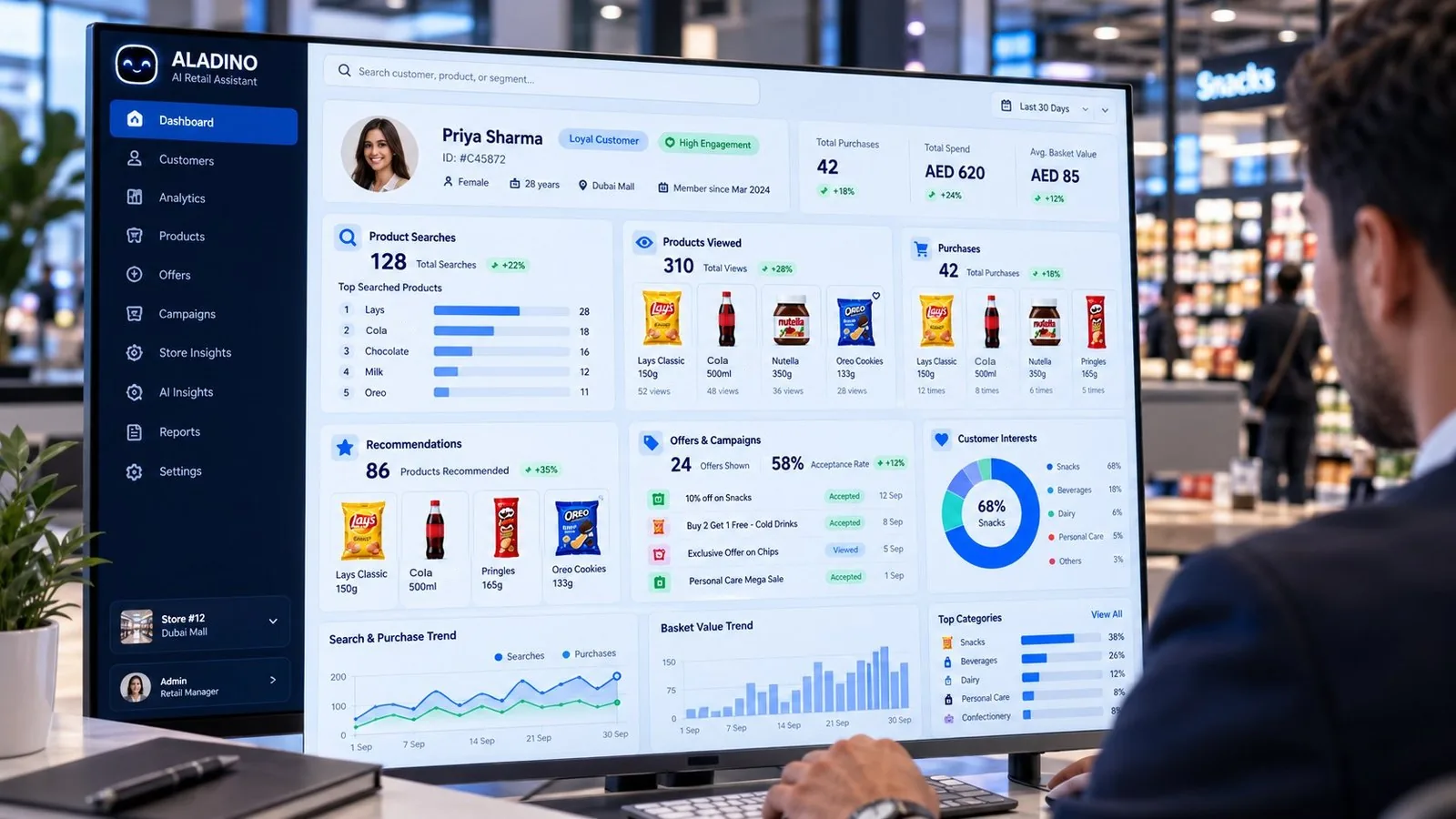

See ALADINO in your store.
Bring your products, your offers and your questions. We will show you how ALADINO answers them.